
Document Management for Law Firms: Applications, Security, Workflow Control, and Loss Prevention

Practical guidance for building efficient, accountable legal support operations.
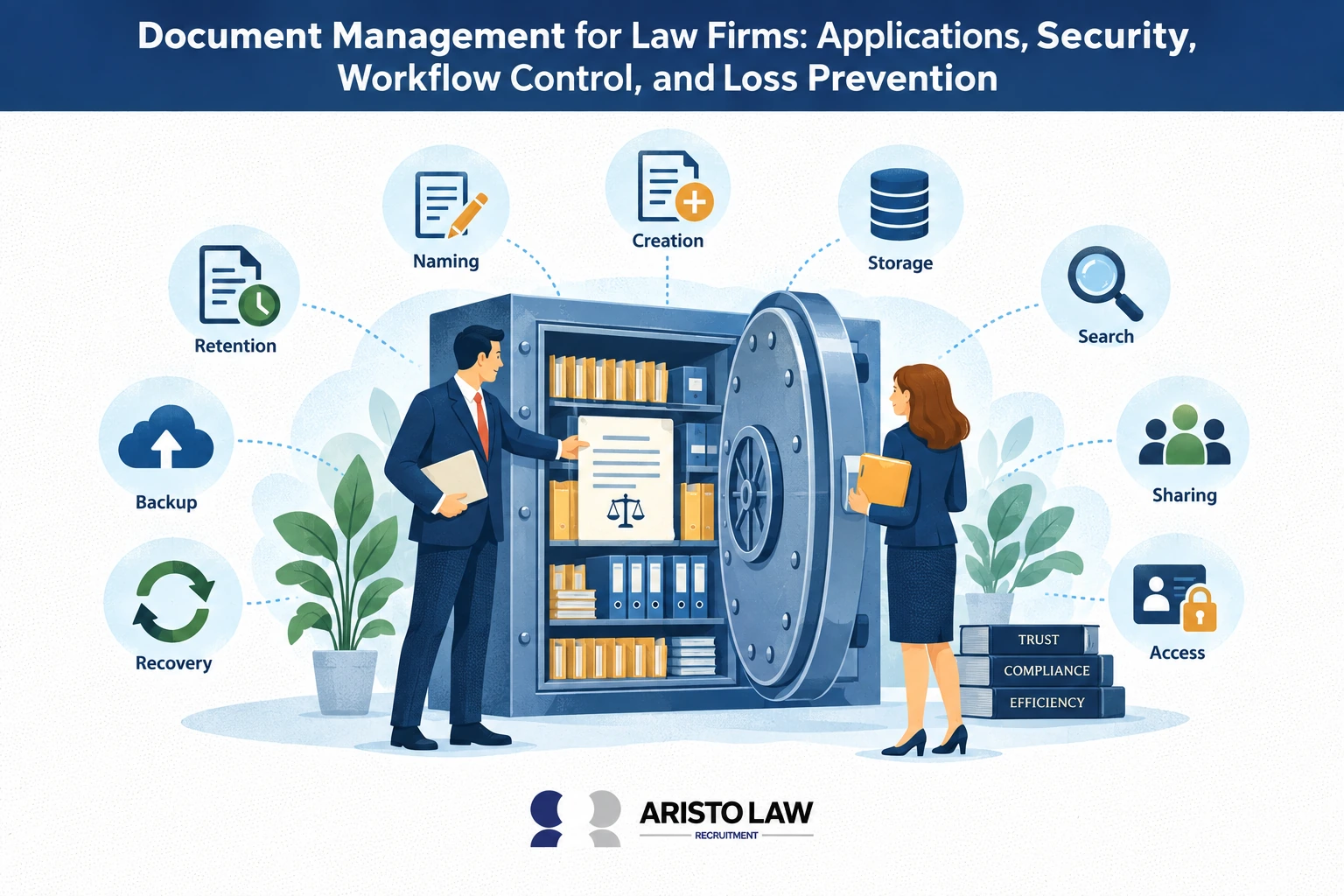
Document management for law firms involves organizing case files, contracts, pleadings, and templates inside one controlled repository. Document management controls workflows through routing, approvals, task assignments, notifications, review trails, retention schedules, document automation, e-signatures, filing, matter closing, and audit tracking. Document management prevents loss through indexing, redundant cloud storage, retention policies, centralized repositories, and disaster recovery plans.
An analysis by the McKinsey Global Institute, titled “The social economy: Unlocking value and productivity through social technologies,” in 2012, states that social technologies can raise the productivity of high-skill interaction workers by 20 to 25 percent. Legal document management improves retrieval speed, collaboration, version control, disaster recovery, client service, attorney productivity, and administrative cost control.
Legal document management protects sensitive information through role-based permissions, encryption, secure cloud storage, audit trails, multifactor authentication, access logs, version history, backups, cybersecurity controls, and secure sharing. A study by IBM, titled “Cost of a Data Breach Report 2024,” in 2024, states that the global average cost of a data breach reached $4.88 million, which makes document security a direct risk-control function.
Document management controls workflows through routing, approvals, task assignments, notifications, review trails, retention schedules, document automation, e-signatures, filing, matter closing, and audit tracking. Document management prevents loss through indexing, redundant cloud storage, retention policies, centralized repositories, and disaster recovery plans.
Aristo Law is a Legal Process Outsourcing company that helps law firms improve document management by providing outsourced Legal Data Entry & Records Management Assistant support for document indexing, file organization, version tracking, records updates, access coordination, workflow control, and loss prevention tasks. Book a Legal Data Entry & Records Management Assistant staffing consultation with Aristo Law. Aristo Law connects law firms with outsourcing solutions that match trained records management support staff to each document control task, file security workflow, version tracking duty, application update function, and law firm records management need.
What is document management for law firms?
Document management for law firms is the structured system used to store, organize, retrieve, and govern legal documents across client matters. Legal document management covers client files, matter records, contracts, pleadings, emails, discovery materials, compliance files, legal research notes, billing documents, and signed agreements.
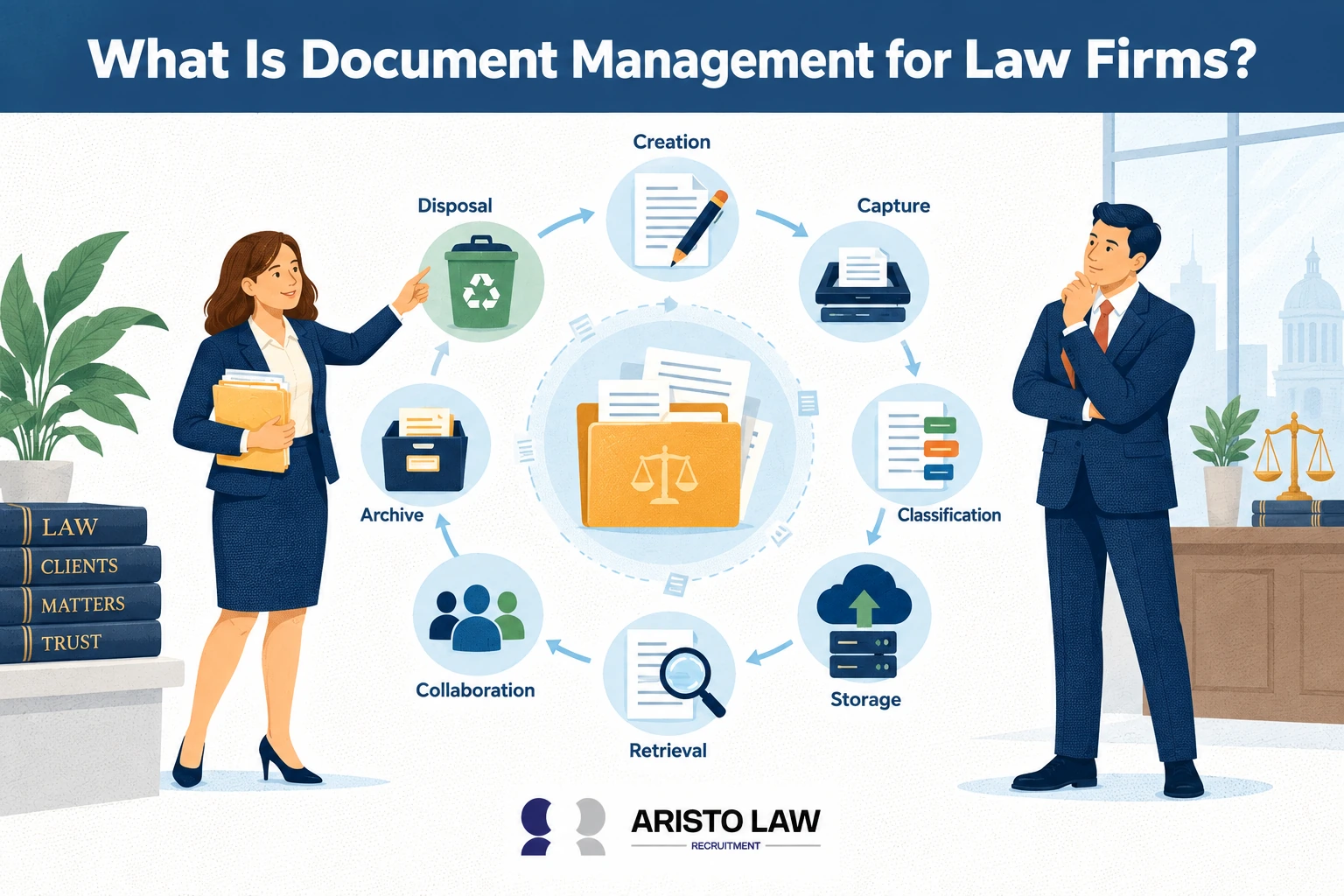
A business process research paper published by ResearchGate, titled “The Management of Law Firms Using Business Process Management, Document Management and Web Services Integration” in 2014, states that implementing a dedicated document management system (DMS) yields substantial customer service advantages by dramatically accelerating internal retrieval times and streamlining access to matter history. Document management for law firms helps legal teams reduce duplicate files, locate records faster, control permissions, and keep legal files aligned with case workflows and client service standards.
Law firm document management differs from simple file storage because legal teams need fast search, workflow control, access control, version history, audit visibility, retention rules, and secure sharing. A legal document management system gives attorneys and legal support staff a central workspace for document collaboration, matter organization, confidentiality protection, and compliance tracking.
What are the benefits of document management for law firms?
Document management benefits law firms by improving document organization, operational efficiency, productivity, and client service while reducing administrative costs and the risk of document loss.
Listed below are 11 benefits of document management for law firms.
Centralized document storage: Law firm document management places legal documents, client matters, pleadings, contracts, discovery files, compliance records, and billing documents inside one DMS. Centralized document storage gives attorneys, paralegals, legal assistants, accounting teams, and administrative staff one source for matter files and records management.
Faster document retrieval: Legal document management improves document retrieval through document indexing, metadata, OCR, full-text search, naming conventions, and matter-based folders. A study by McKinsey Global Institute titled The Social Economy in 2012 found that knowledge workers spend about 20% of work time searching and gathering information, and collaboration technologies raise productivity by 20% to 25%. (1)
Better document organization: Document management organizes legal files through metadata standards, document type labels, client-matter structures, version control, and audit trail records. Law firm document management reduces duplicate files, misfiled records, and manual sorting work.
Stronger collaboration: A document management system supports document sharing, remote access, cloud storage, comments, task routing, and document approval workflows. Legal teams complete matter work faster because attorneys, paralegals, legal data entry specialists, and administrative staff work from the same file record.
Workflow automation: Document management improves legal operations through workflow automation, document automation, e-signature routing, approval tracking, document filing, billing documentation, and matter closing workflows. A study by Nucleus Research titled The Business Case for DocStar in 2024 found that content management customers improved workflow efficiency by an average of 35%. (2)
Stronger security and client confidentiality: Legal document management protects client confidentiality through access control, encryption, role-based permissions, audit trail logs, secure sharing, backup, and disaster recovery. A DMS limits unauthorized access and records user activity across legal documents.
Improved legal compliance: Document management supports legal compliance through records management, retention schedules, information governance, audit visibility, trust-accounting documentation, litigation holds, and secure storage. Compliance teams track file accuracy, retention status, and access activity with fewer manual checks.
Higher law firm productivity: Document management reduces administrative workload, manual data entry, document processing time, and workflow completion time. Law firm productivity rises when legal staff spend less time searching, copying, renaming, and re-creating files.
Lower operating costs: A DMS reduces storage costs, lost-document costs, duplicate work, printing, scanning, courier tasks, and manual filing. Better billing efficiency follows because attorneys and support teams locate documents faster and record matter activity more accurately.
Better case management and client service: Document management connects practice management software, CRM systems, e-signature tools, cloud storage, billing platforms, and legal technology workflows. Better document accuracy, faster responses, and cleaner case files improve client satisfaction and matter handling.
Best-practice execution: Law firms maximize document management value through SOPs, document naming conventions, metadata standards, user training, workflow optimization, KPI monitoring, and continuous improvement. Law firms measure impact through document retrieval time, document processing time, administrative hours saved, workflow completion time, staff productivity, compliance rate, document accuracy, client satisfaction, operational costs, and profitability KPIs.
What are the main applications of document management for law firms?
The main applications of document management for law firms include matter management, litigation support, transactional work, and knowledge management.
Document management for law firms involves organizing pleadings, contracts, discovery files, and court documents into searchable matter-based systems through legal document and records management services. Document management for law firms supports version control, access permissions, audit trails, retention schedules, e-signature workflows, and secure retrieval across litigation, compliance, intake, billing, and client communication records.
Listed below are 8 applications of document management for law firms.
Matter management: Matter management organizes client files, pleadings, notes, correspondence, billing records, and legal documents under each client matter. Matter management improves client file control and daily legal operations.
Litigation support: Litigation support stores pleadings, motions, exhibits, witness files, expert reports, discovery materials, and evidence records. Litigation support improves evidence handling and case preparation.
Transactional work: Transactional work uses document management for contract drafting, deal records, agreement versions, due diligence files, and review cycles. Transactional work improves drafting control and approval tracking.
Email filing: Email filing stores client emails, court messages, contract discussions, and matter correspondence inside the correct legal file. Email filing protects communication history and reduces lost records.
Collaboration: Collaboration gives attorneys, paralegals, legal assistants, and clients secure sharing access for comments, edits, uploads, and reviews. Collaboration improves team coordination and client response speed.
Compliance: Compliance uses access control, audit trails, retention rules, encryption, and secure storage to protect legal documents. Compliance strengthens confidentiality and file governance.
Records retention: Records retention manages storage periods, disposition rules, matter closing files, and archive schedules. Records retention reduces document loss and supports legal file control.
Knowledge management: Knowledge management organizes templates, prior work product, research notes, briefs, and contract clauses for reuse. Knowledge management preserves institutional knowledge and improves future legal work.
How does legal document management secure sensitive information?
Legal document management secures sensitive information by protecting confidential legal documents through controlled access, encryption, audit visibility, and monitored sharing across the document lifecycle. Legal document management uses a document management system to secure client files, pleadings, discovery records, contracts, emails, evidence files, and compliance records during creation, review, storage, sharing, retention, and deletion.
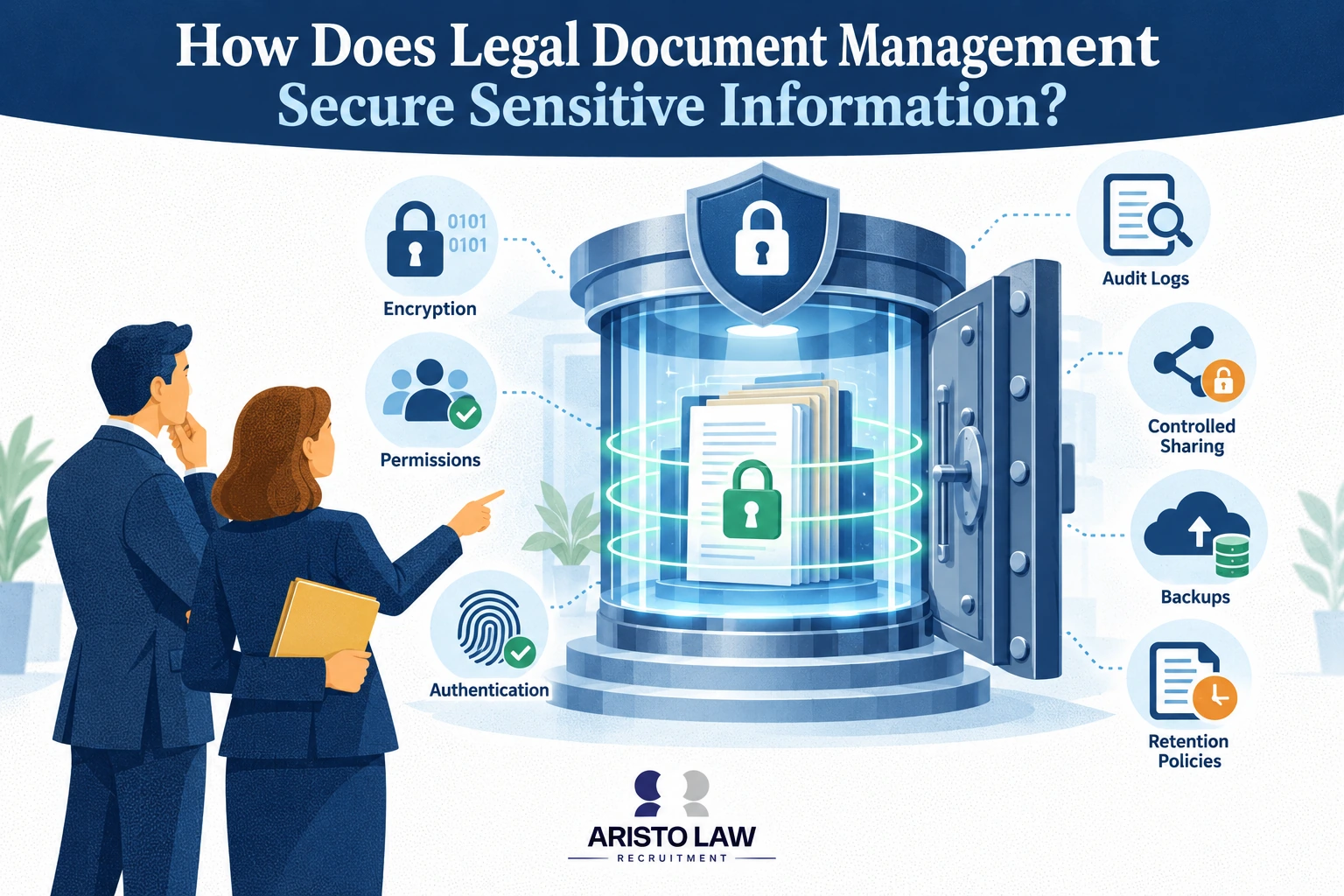
Listed below are 6 ways document management helps secure sensitive information for law firms.
Encryption and secure storage: A DMS protects legal documents through encryption at rest, encryption in transit, secure cloud storage, encryption key management, backup testing, disaster recovery, and ransomware protection. A study by IBM and Ponemon Institute titled Cost of a Data Breach Report 2025 found that the global average breach cost reached $4.48 million, which makes secure storage a direct risk-control priority.
Access control and identity security: Legal document management restricts file access through role-based access control, permission management, MFA, SSO, IAM integration, password policies, least-privilege access, and periodic permission reviews. A guideline by the National Institute of Standards and Technology, titled “NIST SP 800-63 Digital Identity Guideline” in 2025 (with active updates ongoing), states that multi-factor authentication (MFA) adds identity verification layers beyond usernames and passwords, significantly reducing credential-based access risk.
Audit visibility and document integrity: Legal document management records audit trails, activity logging, version control, check-in/check-out actions, metadata, OCR indexing, DRM rules, watermarking, and DLP alerts. These controls reduce insider threats, document tampering, accidental deletion, unauthorized downloads, and compliance violations.
Governance and retention control: Legal document management supports legal holds, document retention, records management, document classification, secure deletion, compliance monitoring, vendor risk assessment, and incident response planning. A guideline by the National Institute of Standards and Technology, titled “Security and Privacy Controls for Information Systems and Organizations” (NIST SP 800-53), in 2020 (with ongoing updates like Release 5.2.0), states that security and privacy controls are organized across 20 distinct control families, which include access control, audit and accountability, incident response, contingency planning, and system and information integrity.
Integrated cybersecurity defense: A DMS connects with practice management software, CRM systems, SIEM tools, endpoint security, cybersecurity platforms, cloud infrastructure, e-signature security, and workflow automation systems. The 2025 Verizon Data Breach Investigations Report indicates ransomware was involved in 44% of analyzed breaches, highlighting the critical nature of backup, endpoint security, and intrusion detection systems.
Security performance measurement: Law firms measure document security through security incident rates, unauthorized access attempts, audit findings, backup recovery success, compliance audit results, document integrity checks, user access logs, and DLP metrics.
How does workflow control work in legal document management?
Workflow control in legal document management works by routing documents through filing, review, approval, signature, retention, and audit steps. Legal document process management assigns each document to the right person, stage, deadline, and matter record.
Workflow automation moves legal documents through document routing, task assignments, approval workflows, filing workflows, notifications, status tracking, and handoff control. Status visibility shows attorneys, paralegals, legal assistants, and administrative staff which document needs drafting, review, client approval, signature, filing, retention, or audit review.
Workflow control reduces manual work, missed steps, inconsistent filing, duplicate versions, delayed approvals, and undocumented signoffs. Approval workflows create accountability because each reviewer, editor, signer, and approver leaves a recorded action trail.
How does document management prevent document loss in law firms?
Document management prevents document loss in law firms by centralizing legal files, controlling document access, maintaining version history, and securing records throughout the document lifecycle. Law firm document management uses a document management system to protect client files, pleadings, contracts, and compliance records from creation through archiving or secure deletion.
Listed below are 7 ways legal DMS helps prevent document loss in law firms.
Centralized repository: A DMS stores legal documents inside one controlled location instead of scattered desktops, inboxes, shared drives, and paper folders. Centralized storage reduces misfiled documents, lost email attachments, duplicate files, and outdated document versions.
Search and indexing: Legal document management uses document indexing, metadata, OCR, document scanning, full-text search, folder structures, and standardized naming conventions.
Version and activity control: Document management protects legal files through version control, audit trail records, check-in/check-out controls, file synchronization, duplicate detection, and access logging. These controls show who changed a document, which version controls the matter, and which file belongs in the client record.
Access and cybersecurity controls: Law firm document management reduces unauthorized access, ransomware exposure, and compliance violations through role-based permissions, permission management, encryption, MFA, cybersecurity controls, document classification, and periodic document audits.
Backup and recovery protection: A DMS prevents permanent loss through automatic backups, cloud storage, redundancy, disaster recovery, backup testing, records management, retention policy rules, document archiving, and lifecycle management.
Workflow and platform integration: Document management connects practice management software, CRM systems, document automation platforms, billing software, cloud collaboration tools, and e-signature platforms. These integrations reduce manual uploads, duplicate data entry, missing approvals, and lost signed documents.
Staff control and measurement: Law firms prevent document loss through staff training, document classification, retention schedules, disaster recovery planning, access reviews, backup recovery tests, and document audits. Law firms measure loss-prevention performance through retrieval time, duplicate-file rates, missing-document incidents, backup recovery success, audit findings, unauthorized access attempts, legal compliance results, and workflow completion time.
What legal document workflows should law firms automate?
Law firms should automate legal document workflows that are repetitive, time-consuming, rules-based, and document-intensive to improve efficiency, reduce errors, strengthen compliance, and increase productivity.
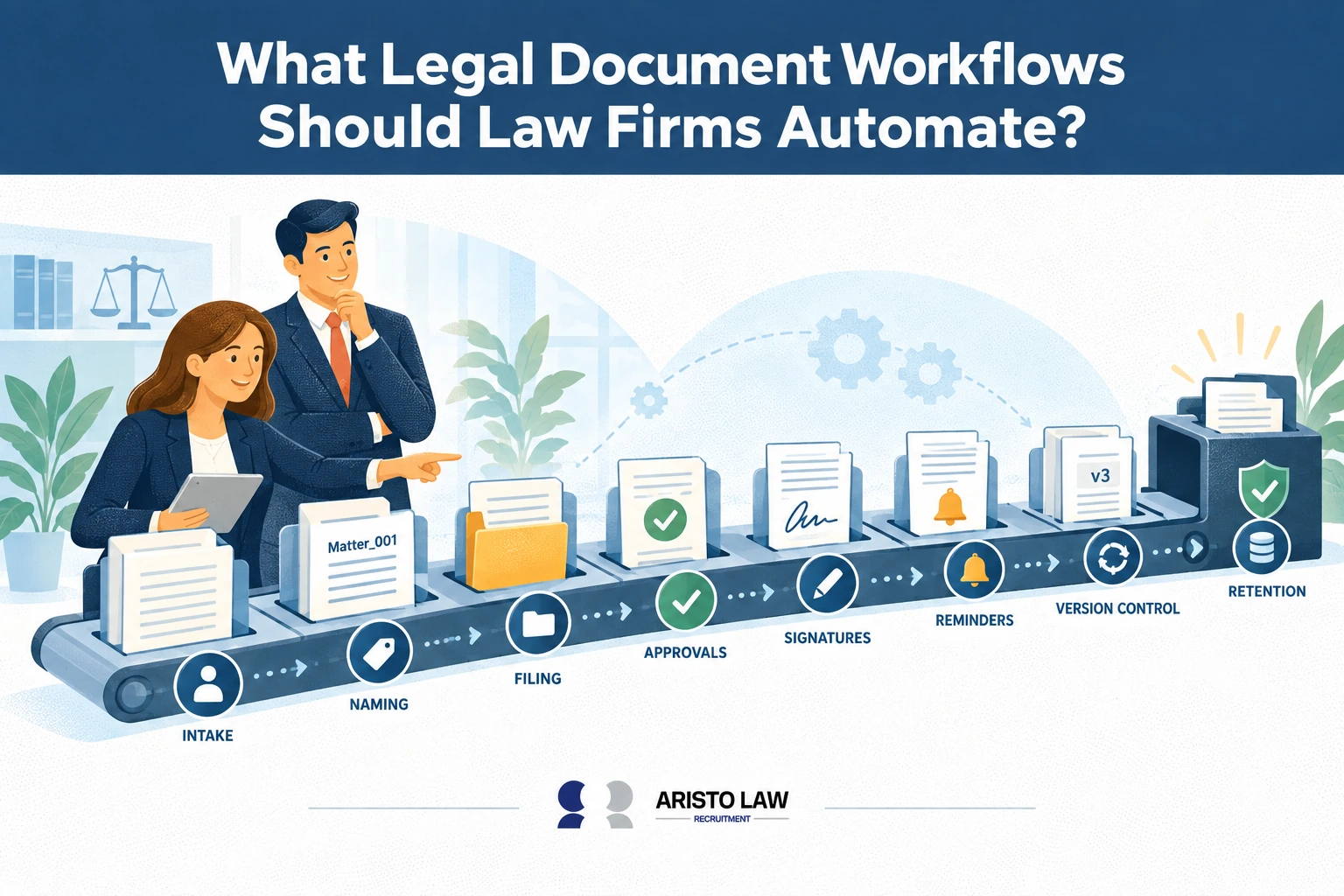
Legal document management involves organizing repeatable workflows such as intake forms, engagement letters, pleadings, and matter-file storage through legal document automation software and tools. Document management for law firms connects client data, matter records, clause libraries, drafting rules, review steps, and e-signature workflows so law firms reduce manual drafting, duplicate document entry, formatting errors, and missed filing steps.
Listed below are 12 legal document workflows that benefit most from automation.
Client intake and onboarding workflows: Client intake automation captures forms, ID records, engagement details, conflict data, and onboarding documents through CRM platforms, client portals, practice management software, and document management system workflows.
Conflict checking workflows: Conflict checking automation routes names, entities, adverse parties, related matters, and approval flags through validation controls and legal operations review.
Document generation and assembly workflows: Document generation, document assembly, and legal templates populate contracts, pleadings, letters, forms, and matter documents with approved data. A study by Mohammad Ahmadi Achachlouei, Omkar Patil, Tarun Joshi, and Vijayan N. Nair, titled “Document Automation Architectures and Technologies: A Survey,” in 2021, states that document automation reduces manual effort during the generation of documents by automatically integrating input from different sources and assembling documents conforming to defined templates.
Contract drafting and review workflows: Contract automation routes drafts, redlines, clause checks, AI document review, comments, approvals, and final versions through one tracked workflow.
Document approval and e-signature workflows: Document approval workflows send documents to reviewers, approvers, clients, and signers through DocuSign, Adobe Sign, or e-signature platforms. A study by Forrester Consulting, titled “The Total Economic Impact™ of Docusign CLM,” in 2024, states that a composite organization experienced a 449% return on investment (ROI) and a 90% reduction in new sales contract generation time.
Version control and collaboration workflows: Version control, document collaboration, and task assignment keep attorneys, paralegals, and legal assistants working from the correct file.
Scanning, OCR, indexing, and classification workflows: OCR, document scanning, document indexing, and document classification convert paper and uploads into searchable legal records.
Filing and eFiling workflows: Document filing, court filing preparation, eFiling workflows, deadline notifications, and workflow reminders reduce missed filing steps.
Storage, retrieval, sharing, and retention workflows: Document storage, document retrieval, document sharing, document retention, document archiving, and records management protect legal files through audit trail records and role-based permissions.
Billing and accounting document workflows: Billing document generation, invoice creation, trust accounting documentation, and matter expense records connect billing software with legal files.
Matter closing and compliance workflows: Matter closing, file closing checklists, compliance documentation, audit trail generation, backup, and disaster recovery protect closed matters.
Implementation and measurement workflows: Law firms improve automation through SOPs, workflow mapping, approval rules, validation controls, staff training, KPI monitoring, and process review. Law firms measure success through document processing time, turnaround time, automation rate, error rate, retrieval time, productivity, compliance rate, client response time, cost savings, and workflow efficiency KPIs.
How does document management improve operational efficiency in law firms?
Document management improves operational efficiency in law firms by centralizing legal documents, standardizing document workflows, reducing administrative work, and supporting secure legal operations. Law firm document management uses a document management system to control legal documents across creation, storage, review, sharing, filing, retention, and recovery.
Document management for law firms improves operational efficiency by organizing case files, contracts, pleadings, correspondence, and client records into searchable matter-based repositories that reduce retrieval time, duplicate work, version conflicts, and administrative delays. Document management for law firms also connects file storage, document drafting, approval routing, e-signature, billing, and compliance workflows, which makes legal workflow automation tools and benefits easier to measure across case handling, staff productivity, and client service delivery.
A DMS improves legal operations through centralized storage, document indexing, metadata, OCR, document scanning, document classification, full-text search, version control, audit trail records, document collaboration, check-in/check-out, document sharing, workflow automation, document approval, e-signature integration, records management, cloud storage, backup, and disaster recovery.
Listed below are 6 ways document management improves legal operational efficiency.
Faster document retrieval: Legal document management reduces search time through metadata, OCR, full-text search, document indexing, and standardized naming conventions.
Less administrative work: Document management reduces manual filing, duplicate work, lost documents, version conflicts, and human error. Attorneys, paralegals, legal assistants, accounting staff, and remote teams spend more time on matter work and less time on file handling.
Better workflow control: Workflow automation routes documents through drafting, review, approval, e-signature, filing, billing, retention, and audit steps.
Stronger collaboration: Document collaboration connects attorneys, paralegals, clients, and remote legal teams through secure sharing, comments, status tracking, and version control. Law firm productivity improves because each team member works from the correct document record.
Connected legal technology: Document management integrates with practice management software, CRM systems, billing and accounting platforms, client portals, eFiling systems, AI document review tools, communication platforms, and workflow automation platforms. These integrations reduce duplicate data entry and support end-to-end legal workflows.
Best-practice measurement: Law firms improve DMS value through folder standards, document naming conventions, metadata standards, role-based permissions, quality assurance, SOPs, staff training, KPI monitoring, and workflow optimization. Law firms measure results through document retrieval time, document processing time, turnaround time, staff productivity, administrative hours saved, workflow completion time, collaboration efficiency, compliance rate, operating costs, and profitability KPIs.
How much does law firm document management cost?
Law firm document management costs $20–$150+ per user monthly, with enterprise implementation ranging from $10,000–$100,000+, depending on firm size, migration, integrations, licensing, and training.
The table below shows the cost range for legal document management.
| Cost Category | Small Law Firm Cost | Mid-Sized Law Firm Cost | Enterprise Law Firm Cost | Pricing Notes |
|---|---|---|---|---|
| Cloud subscription fees | 18 €–131 € ($20–$150, £15–£112) per user/month | 26 €–175 € ($30–$200, £22–£149) per user/month | Custom quote | Cloud document management reduces server costs and supports remote legal operations. |
| On-premise DMS licensing | 4,377 €–21,885 € ($5,000–$25,000, £3,735–£18,675) | 21,885 €–87,539 € ($25,000–$100,000, £18,675–£74,700) | 87,539 €+ ($100,000+, £74,700+) | One-time licensing needs servers, IT support, maintenance, and cybersecurity controls. |
| Implementation cost | 875 €–8,754 € ($1,000–$10,000, £747–£7,470) | 8,754 €–43,769 € ($10,000–$50,000, £7,470–£37,350) | 43,769 €–175,078 €+ ($50,000–$200,000+, £37,350–£149,400+) | Implementation covers setup, workspace design, workflows, permissions, and training. |
| Data migration | 438 €–4,377 € ($500–$5,000, £374–£3,735) | 4,377 €–26,262 € ($5,000–$30,000, £3,735–£22,410) | 26,262 €+ ($30,000+, £22,410+) | Data migration cost rises with legacy files, metadata cleanup, and matter history. |
| Document scanning and OCR | 9 €–44 € ($10–$50, £7–£37) per box or project quote | Project quote | Project quote | OCR and document scanning improve document retrieval and reduce paper filing. |
| Integrations | 438 €–4,377 € ($500–$5,000, £374–£3,735) | 4,377 €–17,508 € ($5,000–$20,000, £3,735–£14,940) | 17,508 €+ ($20,000+, £14,940+) | Integrations connect practice management software, CRM, billing software, e-signature, and cloud storage. |
| User training | 44 €–263 € ($50–$300, £37–£224) per user | 88 €–438 € ($100–$500, £75–£374) per user | Custom program | Training reduces adoption failure, filing errors, and support tickets. |
| Support and maintenance | Included or 10%–20% of license value | 10%–25% of license value | 15%–25% of license value | Support covers updates, troubleshooting, security patches, and vendor help. |
| Cybersecurity features | 0 €–26 € ($0–$30, £0–£22) per user/month add-on | 18 €–88 € ($20–$100, £15–£75) per user/month add-on | Custom quote | Encryption, MFA, access control, audit trails, backup, and disaster recovery affect DMS pricing. |
| Ongoing administration | 0.1–0.5 internal FTE | 0.5–1 internal FTE | Dedicated DMS admin team | Administration covers permissions, retention policy checks, folder control, metadata, and user support. |
| ROI and payback | 6–18 months | 12–24 months | 18–36 months | ROI comes from lower filing time, faster retrieval, fewer lost documents, reduced compliance risk, and higher law firm productivity. |
| Scientific proof | McKinsey found knowledge workers spend about 20% of work time searching for information. | Nucleus Research reported 35% average workflow efficiency improvement from content management. | Forrester Consulting reported 294% ROI over 3 years for M-Files. | Document management pricing deserves TCO review across subscription pricing, licensing cost, implementation cost, data migration, storage, backup, integrations, onboarding, and scalability. |
Where can law firms get document management solutions?
Law firms can get document management solutions from legal document management software vendors, legal technology providers, practice management software companies, and specialized legal implementation partners.
Legal document management involves connecting legal teams with secure intake, indexing, storage, and retention workflows through specialized providers offering law firm document management services. Document management for law firms supports case preparation, matter organization, compliance tracking, and evidence access when firms choose legal operations vendors, managed service providers, or legal outsourcing companies that handle document-heavy workflows.
Listed below are the 10 sources of document management solutions for law firms.
Legal document management software vendors: Legal document management software vendors provide DMS platforms for document storage, document indexing, OCR, metadata, full-text search, version control, audit trail records, workflow automation, document automation, secure sharing, records management, and cybersecurity. Examples include NetDocuments, iManage, Worldox, and M-Files.
Practice management software providers: Practice management software providers give law firms case records, documents, billing, client communication, e-signature, and workflow tools in one legal software environment. Examples include Clio, LEAP, Smokeball, MyCase, and PracticePanther.
Cloud document management vendors: Cloud document management vendors support remote access, secure storage, collaboration, file sharing, backup, disaster recovery, and user permissions. Examples include SharePoint, Microsoft 365, Google Workspace, Dropbox Business, Box, and M-Files.
Legal technology consultants: Legal technology consultants help law firms choose systems, compare cloud and on-premise DMS models, plan document migration, configure metadata, design workflows, train users, and measure ROI.
Managed IT service providers: Managed service providers manage cloud hosting, cybersecurity, access control, backups, disaster recovery, endpoint security, uptime, and technical support for document management systems.
Document digitization providers: Document scanning and OCR providers convert paper files into searchable legal records through scanning, indexing, metadata tagging, and document classification.
Implementation partners and systems integrators: Implementation partners connect DMS platforms with practice management software, CRM systems, billing software, e-signature tools, cloud storage, and legal operations workflows.
Cybersecurity and compliance consultants: Cybersecurity consultants review encryption, access control, audit trails, backup strategy, customer support, security certifications, compliance controls, vendor risk, and total cost of ownership.
Aristo Law support: Aristo Law helps law firms improve document management through document organization, secure document handling, document indexing, workflow standardization, remote legal support, document automation support, and case file management. Aristo Law gives law firms practical implementation support that improves legal operations, productivity, information governance, and long-term document control.
How does Aristo Law help law firms improve document management?
Aristo Law helps law firms improve document management by placing remote legal support professionals who organize, secure, and standardize legal document workflows. Aristo Law screens, interviews, and matches legal support professionals to each firm’s document management system, case management process, compliance needs, and daily workload.
Document management for law firms depends on accurate intake, naming, indexing, storage, retrieval, version control, and deadline-linked file organization across every matter. Aristo Law improves document management for law firms by providing outsourced legal document management support that connects legal files, matter records, document workflows, and trained legal support staff into one organized operating system.
Listed below are 7 ways Aristo Law helps law firms improve document management.
Document organization support: Aristo Law professionals organize client files, matter folders, court records, discovery materials, contracts, pleadings, and compliance documents inside a DMS.
Indexing and metadata support: Aristo Law professionals manage document indexing, OCR checks, document scanning, metadata management, document classification, and file naming standardization for faster document retrieval.
Workflow support: Aristo Law professionals support version control, document retrieval, records management, document archiving, court filing preparation, eFiling support, document quality assurance, document migration, and workflow documentation.
Technology integration support: Aristo Law professionals work inside DMS platforms, legal practice management software, CRM platforms, cloud storage, e-signature tools, billing systems, and workflow automation tools.
Operational efficiency support: Aristo Law’s outsourcing model reduces recruitment work, scales document management capacity, increases staff productivity, accelerates document processing, reduces document loss, and protects attorney billable time.
Performance measurement support: Law firms measure Aristo Law document management results through document retrieval time, processing time, document accuracy, administrative hours saved, workflow completion time, turnaround time, compliance rate, staff productivity, operating costs, and profitability KPIs.
A study by Nicholas Bloom, James Liang, John Roberts, and Zhichao Ying, titled “Does Working from Home Work? Evidence from a Chinese Experiment,” in 2015, states that remote work increased employee performance by 13%. Aristo Law supports law firm document management through legal staffing and legal outsourcing for virtual legal assistant, remote paralegal, legal data entry specialist, document management specialist, legal administrative assistant, and records management roles.
Build a legal support team that moves work forward.
Tell us what is slowing your practice down. We will help map the role, workflow, and support structure that fits.