
Virtual Legal Assistant: Remote Legal Support, Cost-Effective Legal Workflows, and Law Firm Operations

Practical guidance for building efficient, accountable legal support operations.
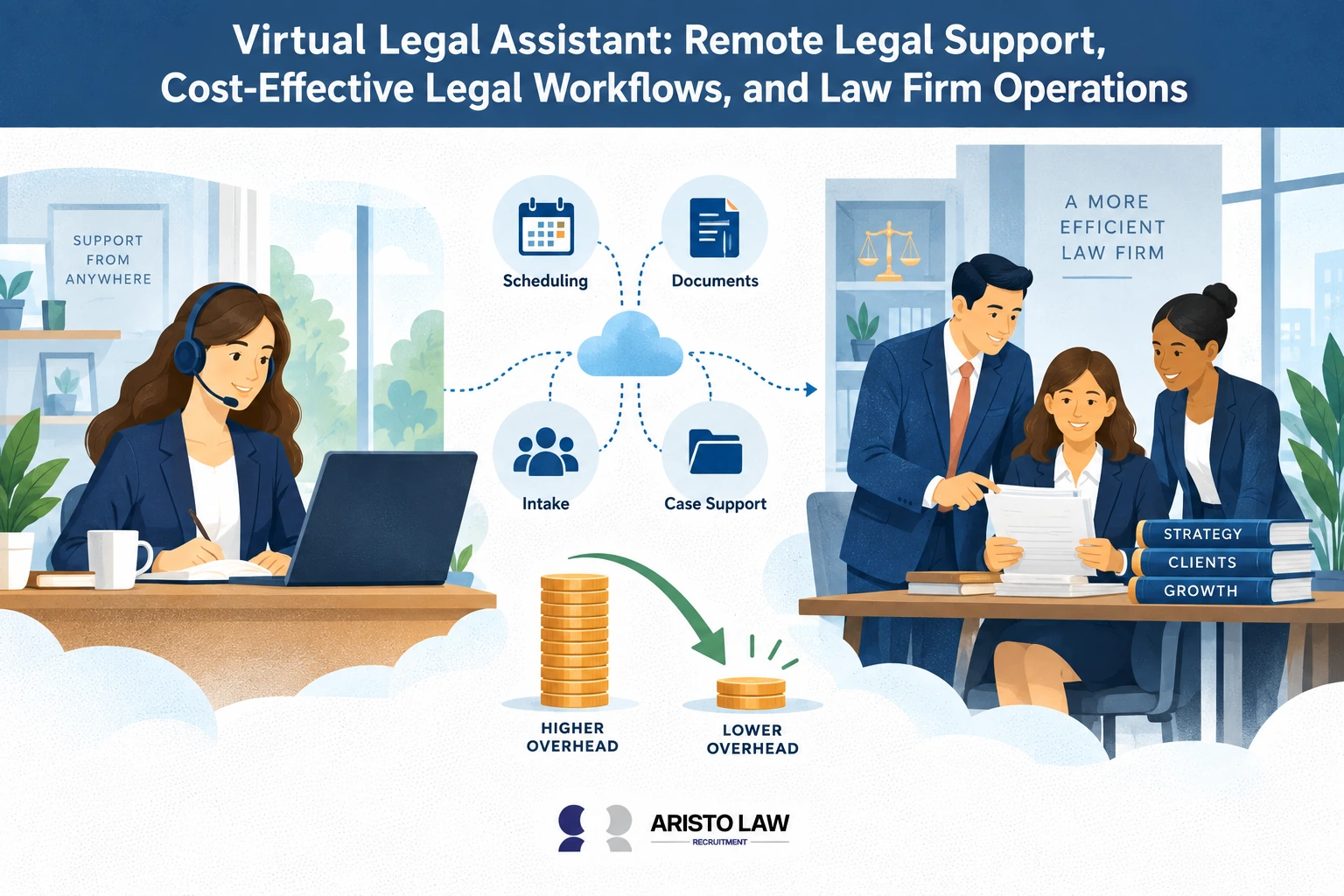
A virtual legal assistant refers to a remote professional who
provides administrative support, legal workflow coordination, and
operational assistance to law firms and legal departments through
digital systems and cloud-based legal technology. Virtual legal
assistants support attorneys by handling client intake, scheduling,
document management, billing coordination, communication workflows,
legal database updates, and case-management administration without
requiring physical office presence. Law firms use virtual legal
assistants to reduce administrative workload, improve responsiveness,
maintain workflow continuity, and support scalable legal operations
across litigation, family law, corporate, immigration, real estate, and
compliance-driven practice areas.
Outsourceable virtual legal assistant tasks commonly include intake
coordination, calendaring, appointment scheduling, billing support,
document organization, e-signature routing, records management, CRM
updates, client communication, and workflow tracking. Attorney-only
responsibilities such as legal advice, legal strategy, negotiations,
courtroom representation, and independent legal analysis remain
restricted to licensed attorneys under unauthorized practice of law
rules. Solo practitioners and small law firms benefit heavily from
virtual legal support because fluctuating caseloads and limited staffing
budgets create operational bottlenecks that remote staffing helps solve
efficiently.
Virtual legal assistants improve cost efficiency because firms avoid
full-time office overhead, workspace costs, equipment expenses, and
long-term staffing commitments. Remote staffing models provide flexible
scalability during litigation surges, intake spikes, transactional
closings, and compliance-heavy workflows. Cloud-based case-management
systems, CRM platforms, e-signature software, secure communication
tools, billing platforms, and document-management systems allow
distributed legal teams to collaborate efficiently across remote
environments.
Confidentiality protection relies on encrypted communication systems,
role-based access controls, secure cloud storage, audit trails, VPN
access, and compliance-driven workflow policies that protect
attorney-client information. Strong organizational ability,
communication skill, legal software proficiency, multitasking
capability, and attention to detail remain core requirements for virtual
legal assistant roles. Hiring considerations often include practice-area
familiarity, workflow responsiveness, confidentiality awareness,
legal-tech proficiency, offshore versus local staffing preferences, and
onboarding capacity. Performance measurement commonly focuses on intake
response speed, scheduling accuracy, document turnaround time, task
completion rates, billing support efficiency, and workflow coordination
metrics that improve law firm operations and client responsiveness.
Aristolaw helps law firms improve remote legal support,
cost-effective legal workflows, and law firm operations by providing
outsourced Virtual Legal Assistant support for administrative tasks,
document coordination, client communication, intake assistance,
scheduling, and back-office legal workflows. Hire a
Virtual Legal Assistant with Aristolaw. Aristolaw connects law
firms with outsourcing solutions that match trained virtual legal
assistant staff to each remote support task, workflow coordination need,
administrative duty, client-facing function, and operational
responsibility within the law firm.
What is a virtual legal
assistant?
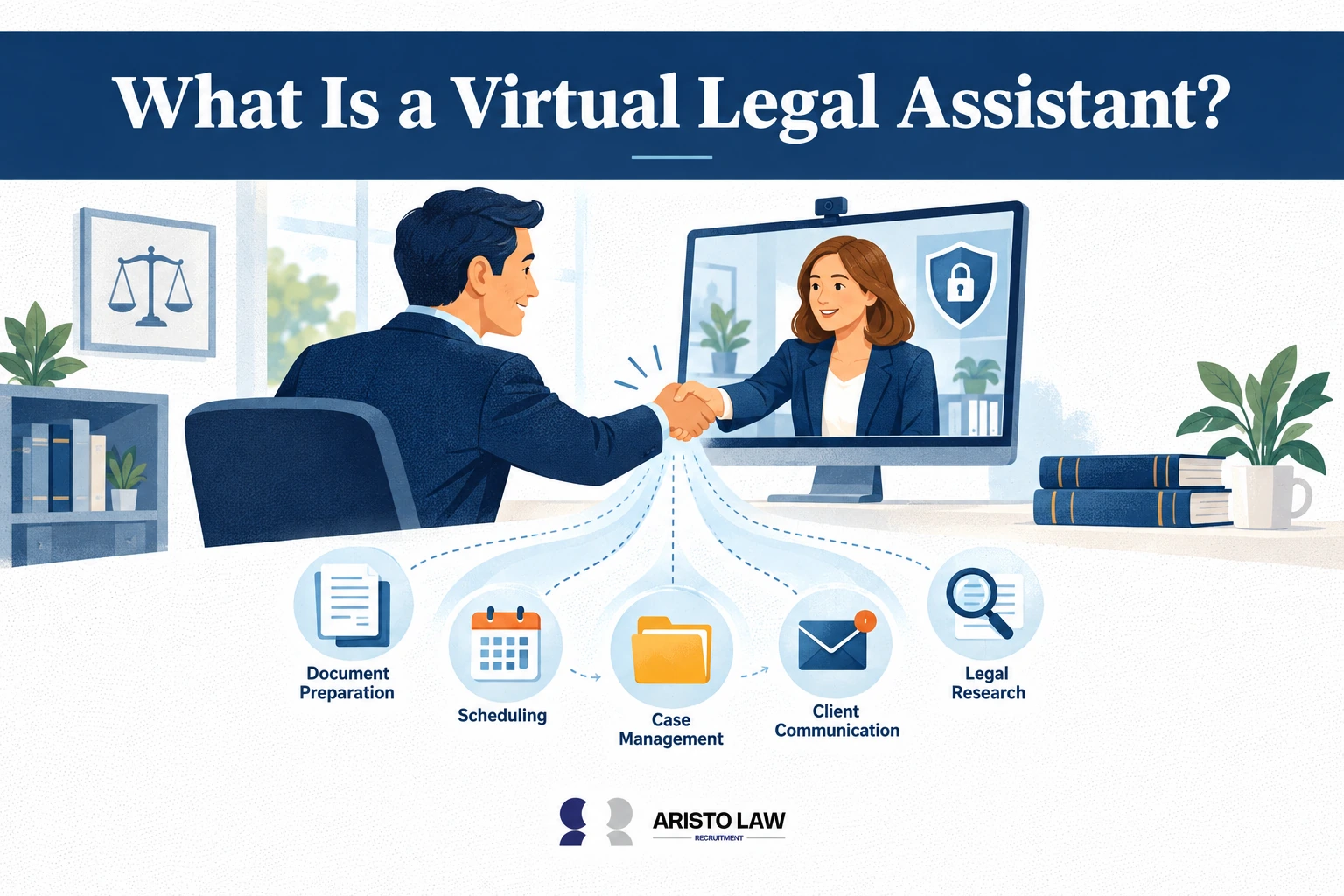
A virtual legal assistant is a remote legal support
professional who helps law firms manage administrative, operational,
intake, document, and client communication workflows without working
on-site. Virtual legal assistants function as part of law firm
operations by supporting attorneys, paralegals, intake teams, and office
managers through remote task execution using cloud-based legal software,
case-management systems, secure communication platforms, scheduling
tools, and document-management workflows.
A 2023 legal industry report by Thomson Reuters Institute
found that law firms continued increasing investments in remote legal
support infrastructure and workflow automation, with firms prioritizing
technologies that support virtual document handling, client
communication systems, intake management, and administrative
coordination. The report showed that operational efficiency and
remote workflow flexibility became major priorities across legal
practices, reinforcing the growing reliance on virtual legal support
professionals for day-to-day law firm administration.
Responsibilities commonly include client intake coordination,
calendaring, document organization, billing support, legal
correspondence, e-signature routing, workflow tracking, records
management, and procedural task coordination under attorney
supervision.
A Virtual Legal Assistant supports law firms by managing
administrative workflows, client communication, scheduling, document
preparation, and legal coordination in a remote environment. Modern law
firms use virtual
legal assistant services to improve operational
efficiency, reduce internal workload, and maintain structured legal
support across daily case activities.
Solo practices, small law firms, litigation firms, immigration firms,
personal injury firms, family law practices, and other high-volume legal
environments frequently use virtual legal assistants to improve workflow
continuity, reduce administrative burden, and maintain responsiveness
without increasing office overhead.
Virtual legal assistants help law firms manage repetitive and
process-driven legal workflows efficiently across distributed legal
teams while supporting scalable operations and flexible staffing models.
Virtual legal assistants do not provide legal advice, represent clients,
interpret law independently, or practice law because all substantive
legal authority remains with licensed attorneys under professional
conduct and unauthorized practice of law rules.
What does a virtual
legal assistant do?
Tasks a virtual legal assistant does include client intake,
scheduling, document preparation, billing support, case file
organization, CRM updates, and legal correspondence
management.
Listed below are the 10 tasks a virtual legal assistant performs.
-
Client intake and intake triage: Virtual legal
assistants screen inquiries, collect intake information, perform
conflict-check coordination, organize onboarding documents, and route
matters efficiently to attorneys or intake teams. Fast intake workflows
improve client response speed and reduce missed lead opportunities. -
Scheduling and calendar control: Remote legal
support staff coordinate consultations, hearings, depositions, court
dates, and internal meetings while tracking deadlines and preventing
scheduling conflicts that interrupt attorney workflows. -
Matter setup and case management support: Virtual
legal assistants create matter records, update case-management systems,
maintain workflow visibility, and organize digital files to improve
operational continuity across active legal matters. -
Client follow-up and communication workflows: Remote
legal assistants maintain communication records, send updates,
coordinate reminders, and manage inbox workflows under attorney
supervision to improve responsiveness and reduce communication
delays. -
Document preparation and formatting: Virtual support
teams prepare templates, organize legal documents, format pleadings,
assemble packets, and maintain version control, reducing attorney
interruptions tied to repetitive administrative work. -
E-filing coordination and procedural support: Remote
legal assistants organize filing materials, track submission deadlines,
coordinate e-filing workflows, and maintain filing records across
litigation and transactional operations. -
Demand-package and records coordination: Personal
injury and litigation practices use virtual assistants to organize
medical records, follow up with providers, summarize documentation, and
support demand-package preparation workflows. -
Billing support and time-entry management: Virtual
legal assistants track billing entries, prepare invoices, organize
expense records, and maintain billing-system accuracy to reduce
administrative backlog. -
CRM updates and workflow tracking: Remote staff
maintain CRM hygiene, update matter status, monitor lead pipelines, and
organize workflow data that improves reporting accuracy and operational
visibility. -
Inbox management and deadline reminders: Virtual
legal assistants monitor communication channels, organize attorney
correspondence, prioritize workflow tasks, and maintain reminder systems
that improve matter throughput and reduce missed deadlines.
What
remote legal support is provided by a virtual legal assistant?
A virtual legal assistant provides remote legal support by
handling administrative, procedural, and workflow coordination tasks
that help law firms and legal departments manage cases efficiently
through digital systems without requiring physical office
presence. Virtual legal assistants integrate directly into law
firm workflow management through case management systems, CRM platforms,
e-filing tools, cloud-based collaboration software, billing systems, and
secure communication channels.
Legal operations research consistently shows that delegating
workflow-heavy administrative tasks to virtual legal assistants improves
attorney productivity, reduces operational costs, and increases
efficiency in document-intensive legal environments through centralized
digital workflow systems. According to recent legal operations
reports summarized in a 2025 implementation guide on virtual legal
assistants, law firms that delegated workflow-heavy administrative
responsibilities to virtual legal assistants increased attorney billable
hours by an average of 40% while reducing operational costs by as much
as 70% through remote staffing and centralized digital workflow
systems.
Their role differs from substantive paralegal work because virtual
legal assistants focus on workflow coordination, administrative support,
intake management, communication handling, and operational continuity
rather than legal analysis, legal advice, or independent legal
drafting.
Listed below are 14 remote legal services provided by virtual legal
assistants.
-
Client intake processing and onboarding coordination
-
Appointment scheduling and attorney calendar management
-
Email management and client communication coordination
-
Legal document organization, formatting, and file management
support -
Court deadline tracking and docket management assistance
-
Billing support, invoicing, and payment follow-ups
-
CRM and case management system updates
-
Legal transcription and document formatting tasks
-
Coordination of communication between attorneys, clients, courts, and
vendors -
E-filing preparation and administrative submission support
-
Workflow tracking for litigation, corporate, or family law
matters -
Support for document-heavy legal processes under attorney
supervision -
Secure handling of confidential legal data through encrypted digital
systems -
Integration with cloud-based legal practice management software
How does a
virtual legal assistant support attorneys?
A virtual legal assistant supports attorneys by removing
routine operational tasks from the attorney’s schedule so the attorney
can focus on legal strategy, client advice, negotiations, and
court-related work.
Listed below are the 10 ways a virtual legal assistant supports
attorneys.
-
Time recovery for attorneys: Virtual legal
assistants handle repetitive administrative workflows that consume
attorney time, improving productivity and preserving billable-hour
capacity. -
Inbox and communication management: Remote legal
support staff organize emails, prioritize urgent communication,
coordinate responses, and maintain communication continuity with clients
and vendors. -
Client communication coordination: Virtual
assistants manage status updates, appointment reminders, intake
follow-ups, and procedural communication under attorney supervision to
improve responsiveness. -
Calendar and deadline coordination: Remote legal
assistants track hearings, consultations, filing dates, meetings, and
litigation deadlines to reduce scheduling conflicts and missed
obligations. -
Pre-meeting preparation support: Virtual legal
assistants organize case summaries, prepare intake notes, assemble
supporting documents, and coordinate meeting materials before attorney
consultations. -
Document organization and workflow continuity:
Remote support teams maintain case files, organize legal records, update
matter-management systems, and ensure workflow visibility across active
matters. -
Intake management and lead response: Virtual
assistants process intake inquiries, gather information, schedule
consultations, and maintain CRM updates to reduce intake
bottlenecks. -
Follow-up coordination: Remote legal support staff
track pending tasks, monitor responses, coordinate document collection,
and maintain procedural workflow progression. -
Billing and administrative support: Virtual
assistants organize billing entries, prepare invoices, and maintain
workflow records that reduce attorney administrative burden. -
Billable-hour protection: Delegating inbox
management, scheduling, intake coordination, and procedural tasks
prevents attorneys from losing billable time to operational
interruptions and administrative overload.
What
legal workflows can be outsourced to a virtual legal assistant?
Legal workflows that can be outsourced to a virtual legal assistant
include intake workflows, calendar workflows, document workflows,
billing workflows, client communication workflows, and case-management
workflows.
A Virtual Legal Assistant supports law firms by handling repetitive
administrative workflows, document coordination, client intake,
scheduling, billing support, and legal record organization within
structured operational systems. Efficient delegation through a Virtual
Legal Assistant improves workflow consistency, strengthens communication
processes, and reinforces legal
outsourcing best practices across remote legal
operations.
Listed below are 8 legal workflows that can be outsourced to a
virtual legal assistant.
-
Intake workflows: Virtual legal assistants handle
lead capture, inquiry routing, intake qualification, conflict-check
coordination, consultation scheduling, onboarding communication, CRM
entry, and follow-up workflows before attorney review. Structured intake
delegation improves response speed and reduces lead-management
bottlenecks. -
Calendar workflows: Remote legal assistants
coordinate hearings, depositions, consultations, court deadlines,
attorney availability, meeting scheduling, reminder systems, and
deadline tracking across litigation and transactional workflows.
Calendar oversight improves workflow continuity and reduces scheduling
conflicts. -
Document workflows: Virtual legal assistants support
template population, document formatting, file naming, version control,
repository updates, e-signature coordination, document indexing, and
workflow organization under attorney supervision. Quality-control review
and workflow handoff procedures maintain accuracy before attorney
approval or filing. -
Billing workflows: Remote support teams organize
time-entry records, prepare invoices, track expenses, coordinate payment
follow-up, maintain billing-system updates, and support
accounts-receivable workflows that reduce attorney administrative
workload. -
Client communication workflows: Virtual legal
assistants manage intake responses, appointment reminders, procedural
updates, follow-up coordination, inbox management, and communication
tracking while escalating substantive legal issues to attorneys. -
Case-management workflows: Remote legal support
staff update matter-management systems, maintain case records, organize
digital files, track workflow status, coordinate deadlines, and ensure
procedural continuity across active legal matters. -
E-filing and procedural workflows: Virtual legal
assistants prepare filing packets, organize submission materials,
coordinate procedural checklists, and track filing confirmations while
attorneys maintain legal responsibility and final review authority. -
Records and repository workflows: Remote assistants
maintain centralized document repositories, update workflow systems,
organize records, and manage retrieval structures that improve
operational visibility across distributed legal teams.
Workflow outsourcing relies on structured supervision, defined
handoff points, secure communication systems, and attorney
quality-control review to maintain confidentiality, procedural accuracy,
and operational consistency across legal operations.
What
tasks should not be outsourced to a virtual legal assistant?
Tasks that should not be outsourced to a virtual legal
assistant include legal advice, independent legal judgment, unsupervised
legal drafting, fee-setting decisions, and court
representation.
Listed below are the 10 tasks that should not be outsourced to a
virtual legal assistant.
-
Giving legal advice to clients: irtual legal
assistants cannot interpret law, recommend legal action, explain legal
rights, or provide legal opinions because those activities constitute
the practice of law. -
Making independent legal judgments: Attorneys must
make decisions involving legal strategy, liability assessment,
settlement evaluation, procedural risk analysis, and interpretation of
legal consequences. -
Unsupervised legal drafting: Virtual legal
assistants may organize templates or prepare administrative drafts, but
substantive legal drafting involving clause construction, legal
analysis, or strategic language requires attorney review and
supervision. -
Representing clients in court or legal proceedings:
Court appearances, litigation advocacy, negotiations, and formal legal
representation remain restricted to licensed attorneys or
jurisdiction-authorized professionals. -
Establishing attorney-client relationships: Virtual
assistants cannot independently accept clients, provide representation
agreements, or create legal engagement relationships on behalf of a law
firm. -
Setting legal fees or negotiating retainers:
Attorneys or authorized firm management personnel must control pricing,
fee structures, legal billing agreements, and settlement authority. -
Providing settlement recommendations: Virtual legal
assistants cannot evaluate settlement value, advise clients on
settlement decisions, or negotiate legal outcomes independently. -
Handling privileged legal strategy independently:
Attorneys must supervise communications involving litigation strategy,
privileged analysis, confidential legal interpretation, and sensitive
legal recommendations. -
Signing legal pleadings or attorney-authorized
filings: Legal documents requiring attorney certification,
verification, or professional responsibility cannot be executed by
virtual legal assistants. -
Performing jurisdiction-specific legal compliance
analysis: Attorneys remain responsible for interpreting
jurisdictional rules, ethics obligations, regulatory compliance, and
legal-risk determinations.
Law firms building delegation SOPs typically separate operational
workflow tasks from legal decision-making authority. Virtual legal
assistants prepare information, organize workflows, maintain
communication continuity, and support attorney productivity, while
attorneys retain responsibility for legal interpretation, client
counseling, legal recommendations, and compliance with unauthorized
practice of law rules.
Which
practice areas benefit from virtual legal assistants?
Virtual legal assistants benefit almost all legal practice
areas by supporting administrative coordination, communication
management, and structured legal workflows. They are especially
valuable in high-volume, document-heavy, and client-intensive fields
where repetitive operational tasks can be standardized and delegated
remotely.
Legal operations research and practice-management studies
consistently show that delegating administrative and workflow-heavy
legal tasks to virtual legal support improves attorney productivity,
reduces overhead costs, and increases case-processing speed across
litigation and transactional legal environments. Practice areas with
strict deadlines, repetitive intake processes, large document volume,
and communication-heavy workflows typically experience the highest
operational efficiency gains from remote legal support integration.
Listed below are 10 practice areas that benefit from virtual legal
assistants.
-
Family law: Supports intake coordination, custody
scheduling, client communication, document organization, hearing
reminders, and workflow tracking across emotionally intensive and
communication-heavy legal matters. -
Personal injury law: Assists with medical-record
coordination, intake tracking, insurance communication, case updates,
billing support, and demand-package workflow organization in high-volume
caseload environments. -
Immigration law: Supports form-preparation
workflows, document collection, deadline monitoring, intake processing,
and case tracking for highly procedural immigration matters. -
Criminal defense: Assists with discovery
organization, court scheduling, client communication coordination, file
management, and procedural deadline tracking across fast-moving
litigation workflows. -
Real estate law: Supports closing coordination,
contract-management workflows, title-document organization, scheduling,
and transactional document preparation support. -
Corporate law: Assists with contract tracking,
compliance documentation, governance workflow coordination, billing
support, administrative legal operations, and document-management
systems. -
Estate planning: Supports intake workflows,
scheduling, document organization, drafting assistance, client
follow-up, and filing coordination for wills, trusts, and
probate-related matters. -
Bankruptcy law: Assists with petition-processing
workflows, creditor communication tracking, intake management, deadline
coordination, and document-heavy filing operations. -
Litigation practices: Supports docket management,
discovery coordination, evidence organization, e-filing workflows, case
file management, and deadline tracking across document-intensive
litigation operations. -
General practice firms: Benefit from centralized
intake systems, scheduling support, billing coordination, CRM
management, inbox organization, and administrative workflow continuity
across multiple practice areas.
Virtual legal assistants improve efficiency by handling repetitive,
standardized, and time-consuming administrative workflows that interrupt
attorney productivity. Remote legal staffing improves workflow
continuity, reduces administrative burden, increases responsiveness, and
supports scalable legal operations across both small firms and
high-volume legal practices.
Which law firms
need a virtual legal assistant?
Law firms that need a virtual legal assistant include solo
firms, small firms, growing firms, high-volume practices, and firms with
inconsistent workload peaks.
Listed below are the 10 law firms that need a virtual legal
assistant.
-
Solo law firms: Solo attorneys often experience
administrative overload from intake calls, scheduling, inbox management,
billing tasks, and document coordination that reduce billable-hour
capacity and delay client response times. -
Small law firms: Small firms benefit from virtual
legal assistants because limited staffing budgets make full-time
in-house administrative hiring difficult while intake gaps, missed
follow-ups, and workflow bottlenecks continue increasing operational
pressure. -
Growing law firms: Expanding firms use virtual legal
assistants to scale intake systems, scheduling workflows, document
management, and communication processes before committing to permanent
in-house staffing expansion. -
High-volume practices: Personal injury, immigration,
family law, bankruptcy, and litigation-heavy firms rely on remote legal
support to manage repetitive workflows, document-heavy processes, intake
coordination, and deadline tracking efficiently. -
Firms with inconsistent workload peaks: Firms
experiencing litigation surges, transactional closings, seasonal intake
spikes, or discovery-heavy periods use flexible remote staffing to
absorb temporary workload increases without permanent payroll
expansion. -
Remote or hybrid law firms: Distributed legal teams
use virtual legal assistants to maintain workflow continuity,
centralized communication, and cloud-based operational coordination
across multiple locations. -
Startup or newly established firms: New firms use
virtual legal support to maintain professional client communication,
intake responsiveness, and administrative workflow organization without
large operational overhead. -
Firms handling document-intensive workflows:
Practices managing large filing volumes, compliance documentation,
e-filings, and procedural tracking benefit from delegated workflow
coordination and document-management support. -
Attorney teams focused on litigation or court work:
Firms where attorneys spend substantial time in hearings, depositions,
negotiations, or trial preparation use virtual legal assistants to
maintain uninterrupted operational support during attorney
unavailability. -
Cost-conscious firms seeking operational efficiency:
Firms aiming to reduce office overhead, improve staffing flexibility,
and maintain scalable workflow support frequently adopt remote legal
assistant models.
How
do virtual legal assistants help law firms manage workload
fluctuations?
Virtual legal assistants help law firms manage workload
fluctuations through flexible and scalable legal support that adjusts to
changing case volume, deadlines, and operational demand.
Virtual legal assistants also reduce the staffing constraints associated
with traditional full-time hiring by providing on-demand legal
assistance when additional workflow capacity is required.
Legal operations research consistently shows that flexible staffing
models improve turnaround time, reduce operational bottlenecks, and
increase productivity by allowing dynamic task allocation during
fluctuating caseloads.
Virtual legal assistants stabilize workflow continuity by integrating
into case management systems, communication platforms, billing tools,
CRM systems, and document-management workflows to absorb overflow
administrative work during high-pressure legal periods. This staffing
model also reduces burnout among in-house staff by redistributing
repetitive workflow tasks and maintaining operational responsiveness
during litigation surges, intake spikes, transactional closings, and
deadline-heavy filing cycles.
Listed below are the 10 most common ways virtual legal assistants
help law firms manage workload fluctuations.
-
Scale up support during high-volume periods such as
litigation surges, seasonal filing deadlines, discovery-heavy cases, and
transactional closings without permanent staffing expansion -
Reduce staffing costs during slower periods by
avoiding fixed full-time overhead, office-space costs, and long-term
payroll commitments -
Absorb overflow administrative tasks including
document preparation, intake processing, scheduling coordination,
billing support, and file organization during peak demand -
Support rapid onboarding for short-term workloads
through flexible project-based staffing models that integrate quickly
into legal workflows -
Maintain continuity in case management and client
communication during periods of increased matter volume,
attorney travel, or court-intensive litigation schedules -
Assist with trial preparation and deadline-heavy
workflows by coordinating discovery review, docket tracking,
exhibit organization, and procedural reminders -
Integrate into legal software systems remotely
through cloud-based case-management platforms, e-signature systems, CRM
tools, and workflow-tracking software -
Redistribute administrative workload away from attorneys and
in-house staff so legal teams maintain focus on legal analysis,
negotiations, and client representation -
Reduce delays caused by staffing shortages by
maintaining consistent workflow support during high-pressure operational
periods -
Improve law firm responsiveness and client-service
consistency by maintaining communication continuity, intake
responsiveness, and organized workflow coordination across fluctuating
caseloads
How can
virtual legal assistants reduce law firm costs?
Virtual legal assistants reduce law firm costs by replacing
fixed in-house overhead with flexible remote support aligned to workload
volume and operational need. Law firms reduce expenses tied to
office space, workstations, utilities, employee benefits, on-site
equipment, and full-time administrative payroll because remote staffing
operates through cloud-based legal systems and distributed
workflows.
Flexible staffing structures also allow firms to pay for support
based on actual workload demand rather than maintaining permanent
staffing during slower operational periods. A nationwide
employer survey conducted by economist Susan N. Houseman and published
in the Industrial and Labor Relations Review in 2001 found that nearly
80% of employers used flexible staffing arrangements specifically to
absorb workload fluctuations and avoid maintaining unnecessary permanent
labor during slower business periods. Offshore and remote
staffing models further reduce labor costs by expanding access to
lower-cost talent markets without reducing workflow coverage.
Operational leverage creates additional cost savings because
attorneys spend less time on non-billable administrative work such as
inbox management, scheduling, intake coordination, billing follow-up,
document organization, and procedural communication. Hidden operational
costs inside many law firms include missed intake calls, delayed client
responses, slow follow-ups, disorganized case files, scheduling
conflicts, and workflow interruptions that reduce matter throughput and
increase revenue leakage.
Virtual legal assistants improve responsiveness, maintain workflow
continuity, organize communication channels, and support intake systems
that help law firms convert more leads, process cases faster, and reduce
administrative bottlenecks. Remote legal support therefore produces both
direct wage savings and indirect operational efficiency gains across
legal workflows.
What
is the cost difference between virtual and in-house legal support?
The table below shows the cost differences between virtual and
in-house legal support across payroll, overhead, flexibility, training,
supervision, and scalability factors.
| Cost / Operational Factor | Virtual Legal Support | In-House Legal Support |
|---|---|---|
| Payroll structure | Flexible hourly, contract-based, project-based, or subscription-style staffing |
Fixed salary or hourly employee compensation |
| Benefits and employment costs | Usually reduced or excluded because many providers operate as contractors or outsourced services |
Includes benefits, payroll taxes, insurance, paid leave, and employment compliance costs |
| Office-space expenses | Minimal or no physical office overhead | Requires office space, furniture, utilities, and workstation setup |
| Equipment costs | Remote staff commonly use provider-managed equipment and remote systems |
Firm typically provides computers, phones, office equipment, and supplies |
| Software access costs | Shared through cloud-based legal systems and remote-access platforms |
Firm-managed licenses and on-site infrastructure costs |
| Hiring friction | Faster onboarding and easier short-term staffing expansion | Longer recruitment cycles, interviews, and employment processing |
| Onboarding requirements | Workflow-focused onboarding with remote process integration | Broader operational onboarding and office-environment integration |
| Workload flexibility | Easier to scale during litigation surges, intake spikes, or transactional peaks |
Staffing capacity tied to fixed employee schedules and office limitations |
| Availability structure | Flexible coverage across different schedules or time zones | Limited primarily to standard office hours and local staffing availability |
| Management and supervision | Managed through digital workflow systems, communication platforms, and structured task delegation |
Managed through direct in-office supervision and real-time collaboration |
| Administrative overhead | Reduced operational burden through outsourced workflow support | Higher internal management and administrative coordination requirements |
| Scalability | Rapid expansion or reduction based on matter volume and operational demand |
Expansion requires additional hiring, office resources, and payroll commitments |
| Operational efficiency impact | Improves responsiveness and absorbs repetitive workflow tasks without permanent staffing increases |
Provides strong internal collaboration but increases fixed operational costs |
| Cost predictability | More adaptable to fluctuating caseloads and project-based workflows |
Higher long-term fixed staffing obligations regardless of workload volume |
What is the ROI of
a virtual legal assistant?
The ROI of a virtual legal assistant comes from recovered
attorney time, faster client intake, lower overhead, better follow-up,
and more consistent law-firm operations. Law firms improve
operational efficiency when attorneys stop spending billable hours on
inbox management, scheduling, intake coordination, document
organization, billing follow-up, and repetitive administrative
workflows.
A 2023 report by the Thomson Reuters Institute found that
lawyers spend nearly 44% of their workday on administrative and
operational tasks instead of billable legal work, showing that virtual
legal assistants can generate ROI by recovering attorney time, improving
intake response speed, reducing overhead, strengthening follow-up
processes, and creating more consistent law-firm operations.
Recovered attorney time increases revenue potential because attorneys
redirect attention toward legal strategy, negotiations, court
preparation, and client representation instead of non-billable
operational tasks.
Virtual legal assistants also improve intake conversion and client
responsiveness by reducing missed calls, accelerating consultation
scheduling, maintaining follow-up continuity, and organizing
communication workflows more consistently. Faster document turnaround,
improved deadline tracking, cleaner CRM management, and better billing
capture reduce workflow bottlenecks that commonly slow matter
progression and create operational leakage inside law firms. Lower
payroll burden, reduced office overhead, and flexible staffing
structures further improve operational leverage compared to traditional
full-time in-house staffing models.
The actual return on investment depends heavily on task volume,
workflow standardization, delegation clarity, assistant quality,
onboarding structure, and the firm’s ability to operationalize remote
support effectively through case-management systems, SOPs, communication
protocols, and accountability tracking. Firms with high intake volume,
document-heavy workflows, repetitive administrative processes, or
attorney bottlenecks generally experience the strongest ROI from virtual
legal assistant integration.
When
should a law firm hire a virtual legal assistant?
A law firm should hire a virtual legal assistant when there
are missed calls, slow intake, attorney admin overload, delayed billing,
poor follow-up, document backlog, or inconsistent client
communication.

Listed below are the 12 instances when a law firm should hire a
virtual legal assistant.
-
Missed intake calls and delayed responses: Slow
intake response times reduce lead conversion, increase lost
consultations, and create revenue leakage when potential clients contact
competing firms first. -
Attorney administrative overload: Attorneys spending
excessive time on scheduling, inbox management, billing coordination,
and procedural tasks lose billable-hour capacity and experience
operational fatigue. -
Slow intake processing and onboarding bottlenecks:
Delays in conflict checks, consultation scheduling, intake follow-up,
and matter setup slow case progression and weaken client experience. -
Document backlog and workflow congestion: Growing
volumes of unorganized records, unsigned documents, incomplete filings,
and unmanaged repositories create operational delays and procedural
risk. -
Inconsistent client communication: Poor follow-up,
missed updates, delayed callbacks, and unmanaged inboxes increase client
dissatisfaction and damage workflow continuity. -
Delayed billing and invoicing workflows: Unprocessed
billing entries, overdue invoices, and inconsistent payment follow-up
negatively affect cash flow and operational efficiency. -
Workload spikes during litigation or filing
deadlines: Discovery-heavy matters, trial preparation, seasonal
filing surges, and transactional closings create temporary operational
strain that flexible remote support can absorb quickly. -
Expansion into new practice areas: Firms entering
additional practice areas often require operational support before
investing in permanent in-house staffing infrastructure. -
Difficulty managing scheduling and deadlines: Missed
reminders, calendar conflicts, and procedural deadline pressure increase
malpractice risk and workflow disruption. -
The transition stage before hiring full-time staff:
Growing firms frequently use virtual legal assistants to stabilize
workflows, test operational demand, and improve scalability before
committing to permanent payroll expansion. -
Burnout among in-house staff: Administrative
overload across attorneys, paralegals, or office staff reduces
productivity, increases workflow errors, and weakens operational
responsiveness. -
Poor workflow visibility and case coordination:
Disorganized task management, inconsistent CRM updates, and fragmented
communication create inefficiencies that slow matter throughput and
reduce operational control.
How do you hire a
virtual legal assistant?
The steps to hire a virtual legal assistant include
identifying workflows, defining role scope, choosing staffing model,
interview for legal experience, test workflow skills, and onboard with
SOPs.
Virtual Legal Assistants support law firms through remote
administrative, intake, scheduling, and legal workflow management
aligned with operational requirements and practice-area demands. A
structured evaluation of experience, communication systems,
confidentiality standards, and task compatibility helps clarify how
to hire a virtual legal assistant within a scalable
legal support framework.
Listed below are the steps to hire a virtual legal assistant.
-
Identify workflow bottlenecks and operational gaps:
Analyze intake delays, inbox overload, scheduling conflicts, document
backlog, billing inefficiencies, and communication breakdowns to
determine which workflows require remote support. -
Define the role scope clearly: Separate
administrative legal support tasks from attorney-only responsibilities
and create a detailed workflow-based responsibility list covering
intake, calendaring, CRM updates, billing support, document management,
or client communication. -
Choose the appropriate staffing model: Decide
between freelance, agency-based, offshore, nearshore, part-time,
full-time, contract-based, or specialized legal VA staffing depending on
workload volume, budget, timezone requirements, and supervision
capacity. -
Build a workflow-focused role scorecard: Define
measurable expectations such as intake response speed, scheduling
accuracy, CRM hygiene, billing follow-up consistency, document
turnaround time, and communication responsiveness. -
Interview for legal workflow experience: Evaluate
familiarity with law firm operations, legal terminology, intake
workflows, confidentiality protocols, case-management systems, and
high-volume legal environments rather than general administrative
experience alone. -
Test software proficiency and workflow execution:
Use practical assessments involving Clio, MyCase, PracticePanther, CRM
systems, calendaring platforms, e-signature tools, document
organization, or inbox management tasks to verify operational
competency. -
Use sample-task evaluations: Assign intake
simulations, scheduling exercises, file-organization tests,
document-formatting tasks, or follow-up coordination exercises to
measure workflow accuracy and responsiveness. -
Screen for confidentiality and compliance awareness:
Verify understanding of attorney supervision, data security, privileged
communication handling, access-control policies, and unauthorized
practice of law limitations. -
Implement a structured onboarding process: Provide
SOPs, workflow maps, communication protocols, escalation rules,
task-priority systems, software access guidelines, and confidentiality
procedures before active workflow integration. -
Start with a monitored trial period: Use short-term
onboarding metrics such as response time, workflow accuracy, task
completion consistency, communication quality, and deadline adherence
before expanding responsibilities. -
Track operational performance continuously: Measure
productivity through intake conversion support, billing coordination,
task completion rates, scheduling accuracy, communication
responsiveness, and workflow continuity metrics. -
Refine delegation and workflow systems over time:
Continuously optimize SOPs, automation, communication structures, and
task allocation to improve attorney leverage and long-term legal
operations efficiency.
Are
offshore virtual legal assistants a good option?
Offshore virtual legal assistants can be a good option when
law firms need cost-effective administrative support, extended coverage,
and structured remote workflows. Offshore staffing models help
firms reduce operational overhead, increase scheduling flexibility, and
maintain workflow continuity across different time zones without
expanding full-time in-house payroll.
Many offshore virtual legal assistants possess strong English
proficiency, legal-process training, administrative workflow experience,
and familiarity with cloud-based legal software used in modern law firm
operations. Offshore support is particularly effective for standardized
and process-driven workflows such as client intake coordination,
appointment scheduling, inbox management, document formatting, billing
support, CRM updates, file organization, follow-up communication, and
workflow tracking.
A 2023 systematic review by Luke Bartlett and Muhammad Ashad
Kabir at Charles Sturt University, published in IEEE Access on
10 October 2023, analyzed 136 peer-reviewed studies on Business Process
Management (BPM) and virtualization and found that virtualized and
standardized workflows significantly improved organizational
flexibility, scalability, efficiency, and workflow automation.
The researchers concluded that process-driven tasks such as workflow
management, integration, reporting, communication coordination, and
administrative operations are especially effective when handled through
virtualized or remote support systems because they reduce bottlenecks
and improve operational continuity.
Timezone coverage provides operational advantages because offshore
teams often support after-hours intake response, overnight task
completion, and extended workflow coverage that improves responsiveness
and reduces administrative backlog. Effective offshore support depends
heavily on structured supervision, clearly documented SOPs, role-based
access controls, encrypted communication systems, confidentiality
agreements, and workflow accountability systems under attorney
oversight. Law firms must maintain clear task boundaries because
offshore virtual legal assistants cannot provide legal advice, interpret
law independently, or handle jurisdiction-specific legal analysis
without attorney supervision. Firms should exercise caution when
workflows require deep local procedural knowledge, court-specific
interpretation, or legal strategy decisions tied to jurisdictional
compliance rules.
What tools do
virtual legal assistants use?
Tools virtual legal assistants use include
practice-management software, document-management systems, e-signature
tools, billing platforms, CRM systems, and communication
tools.
Virtual Legal Assistants use document automation platforms,
scheduling software, secure client communication tools, and
task-tracking applications to coordinate daily legal operations
efficiently. Virtual Legal Assistants also work within legal
case management systems to organize deadlines, maintain
matter records, monitor workflow progression, and support structured law
firm operations.
Listed below are 14 tools virtual legal assistants use.
-
Practice-management software: Supports case
tracking, matter organization, deadline monitoring, workflow
coordination, task assignment, and centralized legal operations
management. -
Client intake and CRM systems: Manage lead capture,
intake workflows, consultation scheduling, follow-up tracking, pipeline
visibility, and client communication records. -
Document-management systems: Organize document
storage, file indexing, version control, repository updates, and secure
retrieval of legal records across active matters. -
E-signature platforms: Support remote signature
collection, authorization workflows, document execution tracking, and
digital approval coordination. -
Billing and timekeeping platforms: Handle invoice
preparation, time-entry tracking, payment monitoring, expense
organization, and accounts-receivable workflows. -
Cloud-based file-sharing systems: Allow secure
collaboration, controlled document access, encrypted file transfer, and
remote workflow continuity across distributed legal teams. -
Calendar and scheduling systems: Coordinate
hearings, depositions, consultations, filing deadlines, attorney
availability, reminders, and litigation scheduling workflows. -
Task-management and workflow boards: Track
assignments, workflow progression, task priorities, deadline
accountability, and operational visibility across legal matters. -
Secure messaging and communication tools: Support
attorney communication, client updates, internal workflow coordination,
encrypted messaging, and remote team collaboration. -
VoIP and legal phone systems: Manage intake calls,
voicemail routing, call logging, consultation scheduling, and
communication continuity across remote legal operations. -
E-filing and court-submission systems: Coordinate
filing preparation, submission tracking, procedural compliance, and
court-document workflow management. -
Legal transcription and document-formatting tools:
Support dictation processing, formatting consistency, workflow
standardization, and document-preparation efficiency. -
Data-reporting and workflow analytics tools: Monitor
intake performance, task completion rates, billing metrics, workflow
bottlenecks, and operational efficiency indicators. -
Access-control and cybersecurity systems: Protect
confidential legal data through permission management, encryption, audit
trails, and secure authentication workflows.
How do
virtual legal assistants protect confidentiality?
Virtual legal assistants protect confidentiality through
secure systems, restricted access, written protocols, supervision, and
disciplined communication practices. Confidentiality protection
functions as a core risk-control system inside remote legal operations
because virtual legal assistants regularly access sensitive client
records, litigation materials, intake information, billing data, and
privileged legal communications.
Law firms implement role-based software permissions,
password-management policies, encrypted communication platforms, secure
file-sharing systems, multi-factor authentication, VPN access controls,
and audit-trail monitoring to limit unauthorized access and maintain
workflow accountability. Remote legal support workflows also rely on
device-security requirements, restricted download permissions, secure
cloud storage, and clean-desk remote-work policies that reduce exposure
to data leakage or unauthorized document access.
Virtual legal assistants operate under attorney supervision and
confidentiality protocols that reinforce attorney-client privilege
awareness, procedural compliance, and structured communication
standards. Firms often restrict access to only the files, workflows, or
systems necessary for assigned tasks while maintaining centralized
monitoring through legal practice-management platforms and
document-management systems.
Confidentiality planning must occur before assigning client files or
legal documents remotely because improper access configuration,
unsecured devices, weak password controls, or informal communication
practices increase risk exposure, privilege breaches, regulatory
violations, and operational liability across distributed legal
teams.
What skills
should a virtual legal assistant have?
Skills a virtual legal assistant should have include legal
administration, communication, confidentiality, software proficiency,
document control, calendar management, and process
discipline.
Listed below are 14 skills a virtual legal assistant should have.
-
Legal administration skills: Understanding legal
workflows, intake procedures, filing structures, billing coordination,
and case-management processes improves operational efficiency and
workflow continuity. -
Communication skills: Professional client
communication, responsive follow-up, clear internal coordination, and
proper tone management improve client experience and reduce workflow
confusion. -
Confidentiality awareness: Strong data-security
habits, privilege awareness, secure communication practices, and
compliance with confidentiality protocols reduce operational and legal
risk. -
Software proficiency: Familiarity with
practice-management software, CRM systems, billing platforms,
document-management systems, e-signature tools, and cloud-based
collaboration software improves workflow execution speed. -
Document-control capability: Accurate file naming,
document indexing, version control, formatting consistency, and
repository organization reduce retrieval delays and procedural
errors. -
Calendar-management skills: Deadline awareness,
scheduling coordination, reminder tracking, litigation-calendar support,
and hearing management reduce missed deadlines and scheduling
conflicts. -
Inbox-triage ability: Organizing communication
priority, routing urgent matters, managing follow-up workflows, and
maintaining communication continuity improve attorney
responsiveness. -
Process discipline and SOP adherence: Following
structured workflows, task checklists, escalation procedures, and
operational standards improves consistency and reduces workflow
breakdowns. -
Legal terminology familiarity: Understanding common
legal terminology, procedural language, filing references, and law-firm
workflow vocabulary improves accuracy and communication efficiency. -
Remote communication etiquette: Clear digital
communication, responsiveness, meeting coordination, workflow updates,
and professional virtual collaboration strengthen distributed legal
operations. -
Attention to detail: Careful review of dates,
documents, contact information, filing instructions, and workflow
updates reduces administrative errors and operational delays. -
Task prioritization and multitasking: Managing
multiple workflows simultaneously while maintaining accuracy improves
matter throughput in high-volume legal environments. -
Data-entry and records-management skills:
Maintaining accurate CRM updates, intake records, billing information,
and workflow tracking systems improves operational visibility and
reporting quality. -
Time-management capability: Efficient task
execution, deadline prioritization, and workload coordination improve
turnaround time and support scalable law-firm operations.
How do law
firms train a virtual legal assistant?
The steps to train a virtual legal assistant include defining
workflows, document SOPs, assigning software access, setting
communication rules, reviewing work samples, and tracking performance
metrics.
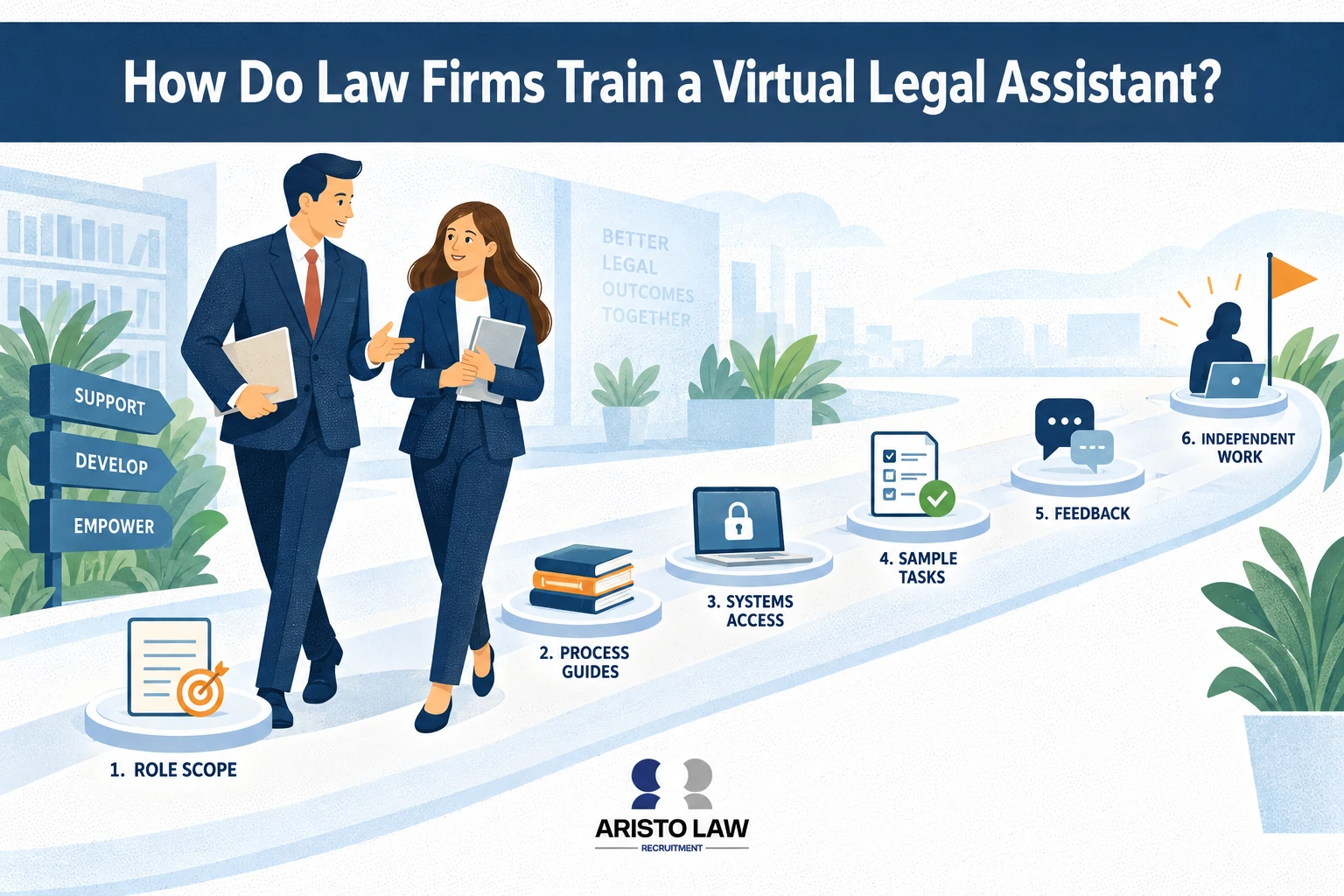
Listed below are the 12 steps to train a virtual legal assistant.
-
Define workflows and operational responsibilities:
Map intake workflows, scheduling procedures, billing support,
document-management tasks, communication responsibilities, and
escalation points before onboarding begins. -
Document SOPs for every recurring process: Create
written step-by-step procedures covering intake handling, file naming,
CRM updates, calendaring, billing workflows, follow-up standards, and
deadline tracking. -
Establish clear role boundaries: Clarify which tasks
are administrative, which require attorney review, and which activities
remain prohibited under unauthorized practice of law rules. -
Assign software access based on workflow need:
Configure role-based permissions for case-management systems, CRM
platforms, billing software, document repositories, communication tools,
and e-signature systems. -
Implement confidentiality and security protocols:
Require confidentiality agreements, password-management standards,
secure-device rules, encrypted communication practices, and client-data
handling procedures before file access is granted. -
Train on practice-area terminology and workflows:
Teach procedural language, filing structures, intake terminology,
document categories, and communication standards specific to family law,
litigation, immigration, corporate law, or other practice areas. -
Provide workflow templates and sample materials: Use
intake scripts, scheduling templates, communication examples,
file-organization standards, and billing-entry samples to improve
consistency and reduce workflow errors. -
Set communication rules and escalation procedures:
Define response-time expectations, communication channels, workflow
handoff points, escalation triggers, and attorney-approval requirements
for sensitive matters. -
Review work samples during onboarding: Evaluate
intake entries, scheduling coordination, document formatting, CRM
updates, inbox management, and workflow execution quality before
assigning larger responsibilities. -
Build quality-control checkpoints into workflows:
Use review stages, audit procedures, approval checkpoints, and
operational oversight systems to catch errors before workflows reach
clients or courts. -
Track performance metrics continuously: Measure
intake responsiveness, scheduling accuracy, document turnaround time,
workflow completion rates, communication consistency, and billing
support efficiency. -
Create ongoing feedback loops and retraining
systems: Hold regular workflow reviews, communication
evaluations, process updates, and software training sessions to improve
operational performance over time.
Poor onboarding frequently causes remote staffing failure even when
the virtual legal assistant is highly skilled because unclear
delegation, inconsistent SOPs, weak communication protocols, and
inadequate workflow training create operational confusion, delayed
execution, and quality-control breakdowns inside distributed legal
teams.
How
should law firms measure virtual assistant performance?
Law firms should measure virtual assistant performance
through productivity, accuracy, responsiveness, workflow efficiency, and
contribution to legal operations and client support.
The table below shows operational KPIs for intake, responsiveness,
task completion, accuracy, and client-service quality.
| KPI / Metric | What It Measures | Why It Matters | Example Use |
|---|---|---|---|
| Response time | Speed of replying to client inquiries, emails, or intake requests |
Faster responses improve lead conversion and client satisfaction |
Measure average time to respond to new website or phone inquiries |
| Intake completion rate | Percentage of intake workflows completed accurately and fully | Incomplete intake records create delays and lost consultation opportunities |
Track completed intake forms versus abandoned or incomplete submissions |
| Consultation booking rate | Number of qualified leads converted into scheduled consultations |
Shows intake efficiency and workflow responsiveness | Measure how many inquiries result in booked attorney consultations |
| Missed-call recovery rate | Percentage of missed calls followed up successfully | Reduces revenue leakage and improves intake continuity | Track callback completion within a defined response window |
| Task turnaround time | Speed of completing assigned workflow tasks | Faster execution improves matter throughput and operational efficiency |
Measure average completion time for scheduling, intake, or document tasks |
| Document error rate | Frequency of formatting mistakes, missing data, or workflow errors |
Reduces rework, filing delays, and procedural risk | Audit document batches for naming, formatting, or data-entry errors |
| Billing support completion | Accuracy and timeliness of invoice preparation and billing updates |
Improves cash flow and reduces administrative backlog | Track invoices processed and billing entries completed weekly |
| Client follow-up completion | Consistency of follow-up communication workflows | Improves responsiveness and client retention | Monitor completed reminder calls, intake follow-ups, or document requests |
| Attorney time saved | Reduction in attorney hours spent on administrative workflows | Protects billable time and improves operational leverage | Compare attorney admin hours before and after virtual support integration |
| Deadline compliance rate | Percentage of workflow deadlines met on time | Reduces missed filings and workflow disruption | Measure adherence to scheduling, filing, and reminder timelines |
| CRM update accuracy | Consistency and completeness of matter-management records | Improves workflow visibility and reporting reliability | Audit case records and intake data for completeness |
| Inbox management efficiency | Ability to organize, prioritize, and route communication properly |
Prevents communication delays and workflow bottlenecks | Track unanswered emails or unresolved communication threads |
| Workflow completion consistency | Reliability in finishing assigned recurring processes | Maintains operational continuity across legal matters | Monitor completion of daily intake, scheduling, and follow-up tasks |
| Client-service quality | Professionalism, responsiveness, and communication clarity | Directly impacts law-firm reputation and client experience | Use attorney reviews or client feedback surveys |
| Escalation accuracy | Correct identification of issues requiring attorney review | Reduces unauthorized-practice-of-law risk and workflow confusion |
Review how properly sensitive or legal issues are escalated |
Build a legal support team that moves work forward.
Tell us what is slowing your practice down. We will help map the role, workflow, and support structure that fits.